How to Reconcile Payments Without Losing an Afternoon
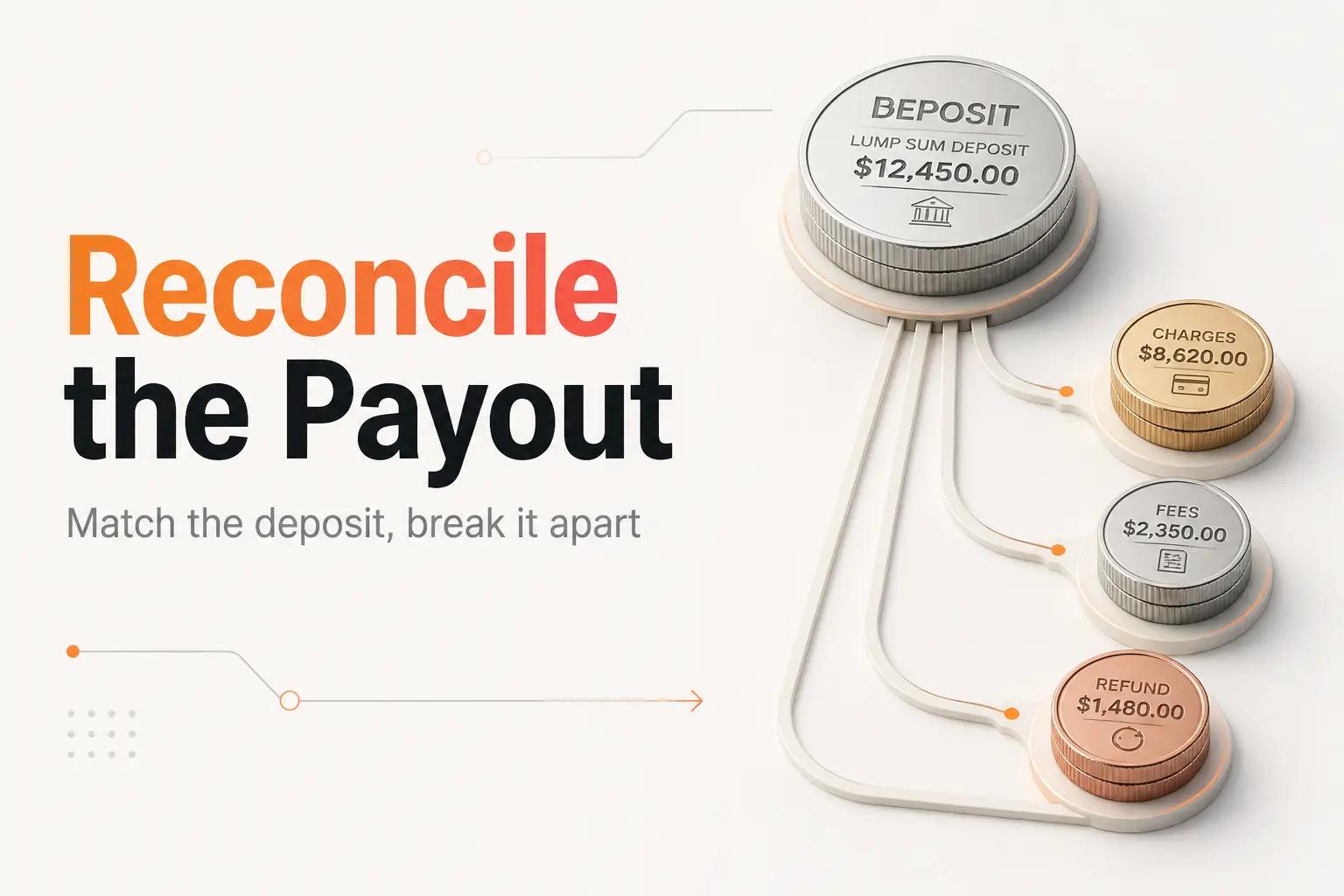
A Stripe payout of $4,812.66 lands in your bank account on a Tuesday. Your sales dashboard says you did about $5,100 that week. Nobody can tell you, in under an hour, why those two numbers are different or which orders that one deposit actually covers. So a person opens the bank feed, the Stripe dashboard, and the ledger, and starts matching a lump sum back to 60-odd individual charges by hand, subtracting fees they have to eyeball and a refund that landed under a reference that looks nothing like the original sale.
That is payment reconciliation, and the reason it eats an afternoon is that almost everyone tries to do it backwards. They start from the sales and try to find the deposit. The money moves the other way. Your processor batches a pile of charges, takes its cut, nets out refunds and disputes, and sends you one number. Reconciliation is the job of proving that one number is right and posting it so your books match the bank.
This guide walks the reconciliation the way a builder would automate it: from the payout down, with the actual reports and API fields that make each step exact. It is written for a founder or finance lead running Stripe, PayPal, or both on a lean stack, not a treasury team.
Reconcile the payout, not the sale
The unit of reconciliation is the payout, not the order. This is the mental switch that turns a two-hour hunt into a five-minute check.
Your bank statement never sees a single sale. It sees deposits. A Stripe deposit for the week is one line, and behind it sit every charge that settled in that batch, minus Stripe's fees, minus any refunds issued, minus any disputed amounts pulled back. If you try to tick off sales one at a time against the bank, you will never get there, because the bank does not have sales in it. It has payouts.
So the reconciliation is really two matches stacked on top of each other:
- Payout to bank. The deposit that hit your account equals the payout your processor says it sent.
- Payout to ledger. The gross sales, fees, refunds, and disputes inside that payout add up to the net deposit, and every piece is booked to the right account.
Get the first match and you have proven the money arrived. Get the second and your books are right. Conflate the two, which is the default, and you end up doing neither cleanly. The steps below keep them separate.
Pull the three records that have to agree
Before you match anything, get all three views of the same money on the table. For a Stripe-and-bank setup, that is:
- The bank feed. The actual deposit line, with its date and amount. This is the source of truth for "did the money arrive."
- The processor's payout report. For Stripe, this is the Payout reconciliation report, which gives you a balance summary for a date range, a payout reconciliation section for automatic payouts received in that window, a failed-payouts section, and an ending-balance section for transactions that have not settled yet. You can pull it as a Summary CSV or an Itemized CSV, and Stripe lets you attach custom metadata so your own order IDs ride along.
- The ledger. What QuickBooks, Xero, or your accounting tool currently shows for that clearing account.
On PayPal the equivalent is the Disbursement Reconciliation Report, which exists specifically to reconcile the payouts that hit your bank against the underlying payments and refunds behind them.
The reason to pull all three first, rather than bouncing between tabs, is that reconciliation is a three-way match. Any two of them can agree while the third is wrong. The bank and the processor can agree while the ledger is a month behind. The processor and the ledger can agree on gross sales while the bank shows a smaller deposit because a dispute got pulled back. You need all three in front of you to see which one is lying.
Match the payout to the bank deposit
Start with the easy match: does the deposit on the bank statement equal a payout the processor says it sent?
This is where a specific field saves you. Stripe's payout reconciliation report exposes a trace_id for each payout where the banking rails support it, which is the reference that shows up on your bank statement for that transfer. PayPal's report gives every disbursement a unique Transfer ID that PayPal documents as the identifier appearing on your bank statement, made exactly for tying a deposit line back to the payout behind it.
Match on that ID and the amount together, not the amount alone. Two payouts in the same week can be identical to the dollar, and if you match on amount only you will reconcile the wrong one and never notice. The ID is what makes the match unambiguous.
One timing note that trips people up. Stripe pays Standard accounts on a daily rolling basis, typically 1-2 business days after the charges settle. So the deposit dated the 3rd is for activity from a day or two earlier, and the last day or two of any month is always sitting in transit, not yet paid. That gap is not an error. It is the in-transit balance, and it has its own step below.
Break the payout apart into charges, fees, refunds, and disputes
Now the harder match: prove that the pieces inside the payout add up to the net number, and book each piece to the right account.
Every movement of money in a Stripe account creates a balance transaction, and reconciliation runs on those objects. The clean way to get the exact contents of one payout is to pass the payout's ID to the balance transactions list: call GET /v1/balance_transactions with the payout parameter set to that po_xxx ID, and you get back only the transactions in that batch. No guessing which charges belong to which deposit.
Each balance transaction object carries the fields you actually post from:
amount- the gross amount of the movementfee- what Stripe tooknet- what hit your balance after the feetype-charge,refund,payment_refund,adjustment(a dispute), and so oncurrency,created, andavailable_on- for FX and timingreporting_categoryandsource- the category and the originating object (the charge, refund, or dispute)
Sum the net across every transaction in the payout and it equals the deposit. That is the whole reconciliation in one line. The type and reporting_category fields tell you which ledger account each piece belongs to: sales revenue, processing fees, refunds, and dispute losses each land in a different place, and lumping them into one revenue number is how a P&L quietly overstates both sales and margin.
The Itemized CSV from the payout reconciliation report carries the same shape without writing code, one row per transaction with gross, fee, net, and category. For a store doing a few hundred transactions a month, that CSV is enough. Past a few thousand, the API is what keeps this from becoming its own manual job.
The four line items that never match on the first pass
Four things break a naive "sales equals deposit" check every single time. Knowing them by name is most of the battle.
Processing fees. The deposit is always smaller than gross sales by the processor's cut, and that cut has to be booked as an expense, not netted silently against revenue. The fee field on each balance transaction is where it comes from.
Refunds. A refund reduces a later payout, not the one that held the original sale, and it often carries a reference that looks nothing like the charge it reverses. Match refunds by their source back to the original charge rather than trying to eyeball them.
Chargebacks and disputes. When a customer disputes a charge, the processor pulls the money back out of a future payout, usually with a fee on top. In Stripe this shows up as an adjustment type. If you are not looking for it, a payout comes in "short" for no visible reason, and the afternoon disappears into finding the missing $150.
In-transit timing. The charges from the last day or two of the period have not paid out yet. That money is real, it is just still with the processor. Booking it correctly, as a clearing or in-transit account rather than as missing revenue, is the single detail that separates books that reconcile in minutes from a month-end that never quite ties out. We walk the accounting side of that clearing account in the Shopify and QuickBooks reconciliation guide.
None of these is exotic. They are the same four every month. Which is exactly why they are worth automating once instead of rediscovering by hand every close.
Common mistakes that keep books from reconciling
Matching on amount alone. Covered above, and worth repeating because it is the most common one. Always match the payout on its ID plus amount, never the amount by itself.
Netting fees into revenue. If you book only the deposit, your revenue is understated and your fee expense is invisible. Book the gross and the fee separately, every time. The fields are right there on the balance transaction.
Treating in-transit as a shortfall. Chasing the "missing" deposit for the last two days of the month is wasted effort. It is not missing. It is in transit, and it belongs in a clearing account.
Reconciling in the accounting tool's UI by hand at volume. A bank feed that auto-matches one deposit to one invoice works fine until one deposit represents 60 sales, two refunds, and a dispute. That is when the built-in matching gives up and a person takes over. The fix is to break the payout apart before it reaches the ledger, not to match it after.
No monitoring when a payout fails. Payouts fail. Stripe's report has a failed-payouts section for a reason. If nothing watches for it, a failed payout means your bank and your books silently diverge and you find out weeks later.
When to wire it yourself vs bring in bottta
If you run one processor, a few hundred transactions a month, and a standard accounting tool, you can get a long way with the tools in front of you. Pull the Itemized CSV, use a proper clearing account, and let the bank feed match the single deposit while the CSV explains what is inside it. We rank the off-the-shelf options honestly in the account reconciliation software guide, and for a small store that is often the right call.
The math changes when any of these is true: you run Stripe and PayPal and maybe a marketplace, all paying out on different schedules, which turns this into a multi-system reconciliation problem. Your volume is in the thousands of transactions where a CSV becomes its own manual job. Multi-currency payouts add FX differences that have to be booked. Or you simply cannot afford for the numbers to be wrong, because they feed the board deck or the tax return.
That is where bottta builds the reconciliation as a workflow that runs without you. The shape of the build is consistent: our Integrations work pulls each payout apart through the processor's API, keyed on the payout ID, so every charge, fee, refund, and dispute is itemized the moment the payout posts. Our Custom Builds side maps each reporting_category to the right ledger account and writes the journal entries, or the QuickBooks and Xero entries, with the in-transit balance handled correctly. And the piece most DIY setups skip, monitoring, watches for failed payouts and for any payout whose pieces do not sum to the deposit, and flags it before it reaches your books. Where the incoming data is messy, our AI Automation work handles the extraction and matching that rules alone cannot.
Two ways to work with us. The $4K project is the right fit when the reconciliation is a defined build: connect the processors, break the payouts apart, post the entries, add the checks, with 30 days of post-launch support. The $3K/month retainer fits when payment reconciliation is one of a few workflows you want owned and monitored over time, with up to 3 active at once. There is no free tier and no button to click. We build the thing and keep it running. If you are automating the reports these numbers feed into next, the automated financial reporting guide picks up where this leaves off, and the invoice automation guide covers the money-owed side of the same close.
The reconciliation itself is arithmetic. Summing net across a payout is not the hard part. The hard part is building the thing that does that arithmetic on every payout the day it lands, splits the pieces to the right accounts, and raises its hand when a deposit comes up short. That build is what we ship. Start a project with bottta to have it done and monitored, not rediscovered by hand every close.
Frequently asked questions
What is payment reconciliation, exactly?
It is the check that the money your payment processor deposited into your bank matches the sales, fees, refunds, and disputes behind it, booked correctly in your ledger. In practice it means proving that one lump-sum payout equals a known set of charges minus the processor's cut and any reversals.
Why is my Stripe payout smaller than my sales total?
Three reasons, usually all at once: Stripe's processing fees come out before the deposit, any refunds and chargebacks in that window are netted against it, and the most recent day or two of charges have not paid out yet. Stripe pays Standard accounts on a daily rolling basis, typically 1-2 business days after charges settle, so the tail of every period sits in transit.
How do I match a Stripe payout to my bank deposit?
Match on the payout's trace_id, the banking reference Stripe's payout reconciliation report puts on the transfer, together with the amount. To see what is inside the payout, pass its po_xxx ID to GET /v1/balance_transactions and every charge, fee, and refund in that batch comes back itemized.
Can I reconcile payments in QuickBooks alone?
For low volume, yes, if you use a clearing account so the single bank deposit reconciles against the itemized payout rather than against individual invoices. It breaks down when one deposit covers dozens of sales plus refunds and disputes, because the built-in bank matching cannot split a lump sum. At that point the payout has to be broken apart before it reaches QuickBooks. The data reconciliation tool guide covers the general version of this matching problem.
How often should I reconcile payouts?
Reconcile every payout as it arrives, not once a month. Daily payouts mean small, cheap checks that catch a failed payout or a missing dispute the day it happens, instead of a giant month-end untangling where a two-week-old chargeback is nearly impossible to trace. Automating it makes per-payout reconciliation free, which is the real argument for building it.